Bus camera systems combine cameras, displays and related components to support rear, side and low-speed visibility for buses and coaches.
Configurations can be planned around reversing, depot manoeuvring, side visibility, passenger loading areas, rear visibility and a compatible in-cab display.
Plan a Bus Camera System Around the Required Views
A commercial bus camera system should be selected around the body length, driver viewing needs and the areas that require additional visibility. Rear and side cameras can support reversing, turning, curb-side observation and low-speed movement when the mounting and viewing angle are validated on the target bus.
Camera signal, connectors, cabling, power and display inputs must be checked as one system. Recording is optional and should be specified separately rather than assumed for every bus camera and monitor configuration.
Use the required view, bus body and compatible display as the starting point. Final product fit, camera quantity and installation details are confirmed for the project.
01
Rear / Reversing Configuration
A bus backup camera can provide an additional rear view for reversing and depot manoeuvring. CAM-BT01, CAM-078, CAM-D05 and CAM-B09 can be evaluated with a compatible monitor according to mounting, signal and environmental requirements.
CAM-ST01 can be evaluated for side visibility, turning and curb-side observation. Camera position and the resulting view must be tested on the target bus; no claim of guaranteed blind-spot elimination is made.
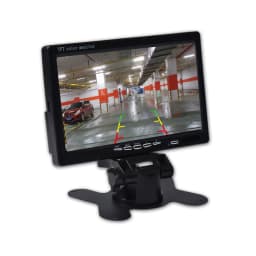
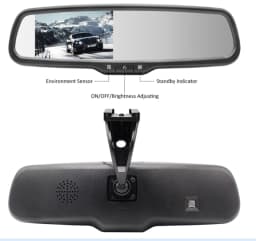
SUP-M700 provides an in-cab display option for compatible bus camera inputs. SUP-M043 can be considered only where its mirror-position format, signal and installation requirements suit the bus project.
SUP-DVR30 can be discussed as a basic recording option when the project requires it. Recording is not standard in every bus camera system and the product is presented only within its confirmed basic recording role.
A forward-facing recording camera can be evaluated when a bus project has a defined basic recording requirement. Product fit, field of view, power and installation must be confirmed separately.
A bus rear view camera can provide additional visual information for reversing, depot manoeuvring and other low-speed movement when installed and tested for the specific vehicle.
The system scope changes with the bus body, operating route and required views; these application types are planning contexts rather than fixed bundles.
01
Transit Buses
Plan rear and side camera views around reversing, depot movement, turning and curb-side visibility. Camera placement and the in-cab display are confirmed for the route and bus body.
02
Coaches
Long-body coaches may require additional rear or side visibility for manoeuvring. Vehicle length, mounting position, cable routing and monitor inputs guide the configuration.
03
School Bus Projects
Camera visibility can support reversing and defined side-view needs in a school bus project. The configuration remains focused on the required vehicle views and driver display.
Recommended Products for Bus Camera Systems
These verified products provide starting points for rear view, side view, driver display and optional basic recording. Final compatibility and quantity remain project-specific.
CAM-BT01
Universal Bus & Truck Camera
External camera option for selected bus rear- or side-view positions.
Practical answers for commercial, transit, coach and school bus camera project planning.
What is a bus camera system?
A bus camera system normally includes one or more cameras, a compatible monitor or display, power and cabling, plus any switching or project-specific components required for the selected views.
What cameras are useful on a commercial bus?
There is no fixed combination for every bus. Selection depends on rear and side visibility requirements, reversing use, vehicle length, camera mounting, video signal and the available monitor inputs.
Can a bus camera system help with reversing?
Yes. A compatible rear camera and display can provide additional rear-view information, but the system does not replace driver checks, mirrors or the operator’s established safety procedures.
Do bus camera systems require GPS or telematics?
No. A camera visibility system can work independently of GPS or telematics; these are not required for the rear, side or driver-display functions described on this page.
Can the system record video?
Recording-capable equipment can be evaluated when a project requires it, but not every camera and monitor configuration includes recording.
Can bus camera systems be customized for OEM projects?
Camera type, connector, monitor configuration, mounting, branding and other project requirements can be discussed. The final scope must be confirmed for the selected products and bus application.
Configure a Camera System for Your Bus Project
Share the bus body, required camera positions, display needs and project quantity. We will review a camera, monitor and optional basic recording configuration against the application.