
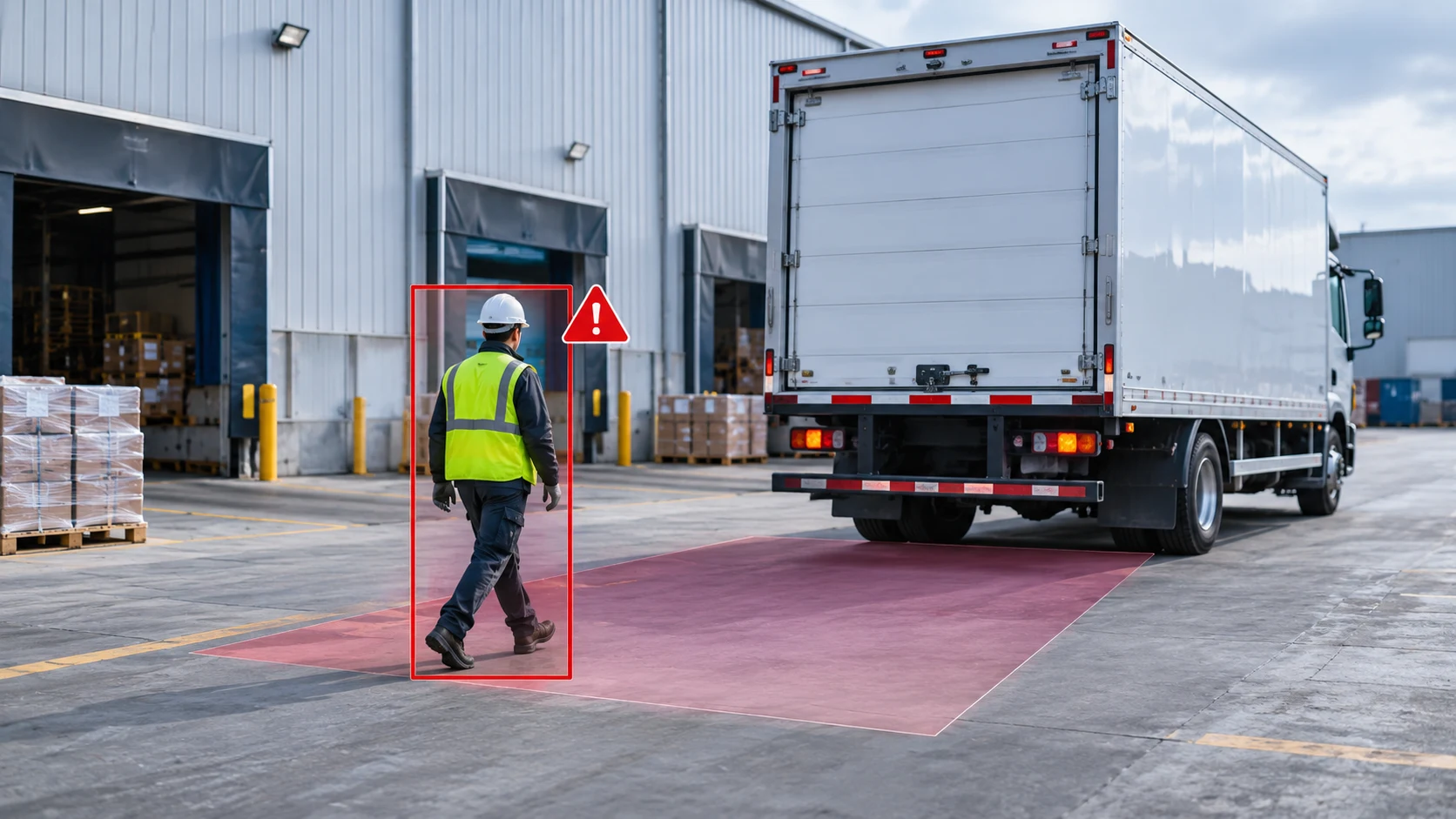
For fleets considering an AI backup camera upgrade, the first question is what the new camera adds to the rear-view system already in the cab. A traditional backup camera provides live video; an AI pedestrian detection camera adds target recognition and visual or audible prompts. Planning the upgrade means deciding which alerts are useful for daily work, whether the existing monitor can stay, and how to evaluate the complete configuration before a fleet rollout.
On this page
Key Takeaways
- A standard backup camera gives the driver a live rear view.
- Evaluate pedestrian alerts where people and vehicles share the reversing area.
- Before reusing a monitor, check its inputs, camera power and wiring.
01What Does a Traditional Backup Camera Do?
A traditional backup camera gives the driver a direct view of the area behind the vehicle. It helps operators check the reversing path, spot fixed obstacles, and align with loading docks or trailers.
In a standard setup, the camera itself is passive. It captures video and sends it to the cab monitor, leaving the driver responsible for scanning the screen and identifying anything entering the frame. The practical difference with an AI camera is not image delivery alone, but whether the system actively flags people and vehicles inside the view.
02What Does AI Detection Add?
An AI detection backup camera combines 1280 × 720 rear-view video with onboard target recognition. Instead of relying solely on the driver watching the screen at the exact moment a hazard appears, the system adds three visible and audible layers:
- Pedestrian and vehicle recognition: The camera identifies pedestrians and vehicles entering the configured detection areas within the rear-view frame.
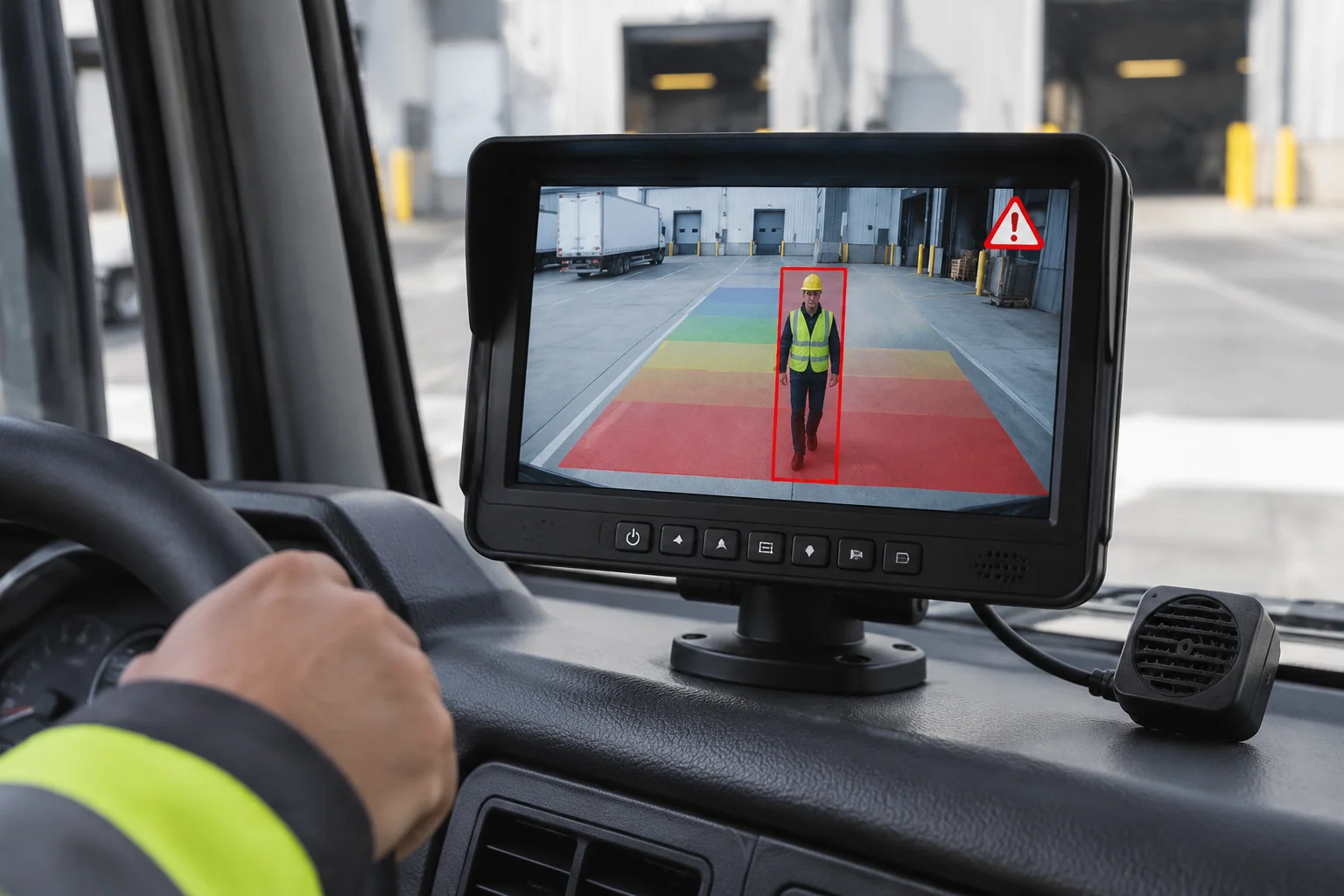
- On-screen visual markers and color zones: In the demonstration, pedestrians appear with bounding boxes and a corner warning icon, while the warning area changes from blue through green and yellow to red as a person approaches.
- Adjustable buzzer alerts: An accompanying buzzer provides audible feedback in the cab, with selectable settings for high volume, low volume, or off.
These features are designed to draw the operator's eye back to the monitor during low-speed maneuvers, working alongside—rather than replacing—mirrors and site safety procedures.
03Why Consider Upgrading a Fleet Backup Camera to AI?
Choosing between standard rear video and AI Detection Systems comes down to the specific tasks and foot-traffic exposure around the vehicle:
- Shared loading docks and yards: When warehouse staff, spotters, and multiple vehicles cross paths behind reversing trucks, active visual and audible alerts help flag sudden movement in the rear zone.
- Frequent on-site reversing: In stop-and-go yard or delivery work, drivers constantly split their attention between side mirrors, blind spots, and the cab display. Audible feedback adds a warning channel alongside the screen, which buyers should evaluate under normal cab noise conditions.
- Construction and industrial sites: On jobsites where ground crew work near heavy equipment or rigid-body trucks, evaluate the vehicle's reversing routes and personnel zones to decide whether target-recognition alerts add practical value over a traditional camera view.
Start with the operating task: for dock alignment, a clear rear view helps drivers judge position and clearance. Where people and vehicles share the reversing area, target-recognition alerts are worth evaluating.
04Can You Keep Your Existing Monitor When Upgrading?
Start by checking whether the existing cab display accepts the selected AI camera's video output. Then review power and wiring compatibility for the complete installation:
- Match video output to monitor input: Confirm whether your existing cab display accepts AHD 720P or standard-definition CVBS video, as well as the correct NTSC or PAL format. Selecting the wrong output version will prevent a usable image—see our AHD vs. CVBS guide for a closer look at signal matching.
- Verify power and connector pinouts: Even when two systems share the same physical connector shape, pin assignments, trigger wires, and vehicle power supply requirements must still be confirmed against the harness.
- Understand component roles: The camera provides AI target recognition, while the cab monitor and buzzer deliver visual and audible alerts. Confirm how the selected camera, monitor, and buzzer connect and present alerts so the installer can place the buzzer where the driver hears it clearly.
05How Should Fleets Evaluate an AI Camera Upgrade?
Before committing to a fleet rollout, run a structured sample check on a representative vehicle:
- Test at the planned mounting height: Mount the camera at the actual rear position and observe how reliably it flags a pedestrian entering, crossing, and leaving the frame.
- Check screen and buzzer clarity: Verify that bounding boxes and zone color changes are easy to read on your target monitor, and test High, Low, and Off buzzer settings against normal cab engine and radio noise.
- Evaluate under real site conditions: Observe alert behavior under representative lighting, background clutter, and reversing speeds rather than an empty lot alone.
- Document the configuration: Record the mounting location, monitor model, harness pinout, and selected AHD or CVBS camera version so future fleet orders stay consistent.
Planning Your Fleet's AI Camera Upgrade
Deciding between a traditional backup camera and an AI pedestrian detection camera starts with one question: do your drivers only need a clear rear view, or do they also need active visual and audible prompts when people or vehicles enter the reversing zone? Once that requirement is clear, confirm your mounting position and display compatibility. To review a suitable configuration, share your vehicle type, planned camera location, and existing monitor details with our team.