

Define the recording job and its owner
Start with the event your team needs to review: a road incident, a reported delivery issue or another defined operating event. Specify which view would answer that question, who requests the clip and who retrieves it. A road-facing camera will not automatically answer a question about an unrecorded side or rear area.
A useful brief states the event to capture, the required retention period and the person responsible for retrieving it. If the request is actually for a driver’s manoeuvring view, use the live-view versus recording comparison to settle that scope first.
This standalone recorder product photo does not establish cloud fleet management, remote live viewing or external-camera recording inputs.

Compare proposals using an acceptance sheet
| Procurement topic | Ask the supplier | Evidence before rollout |
|---|---|---|
| Required footage | Which views does this configuration record? | Sample clips from agreed mounting positions |
| Retention | How is storage sized for the required schedule? | Written storage assumptions and overwrite behavior |
| Retrieval | How does an authorized user locate and export an event? | Demonstration of the complete workflow |
| Power | What happens at ignition off and restart? | Documented supply arrangement and vehicle check |
| Servicing | How are settings, storage and failed units handled? | Maintenance instructions and replacement process |
| Rollout cost | What hardware, fitting and service costs are excluded? | Itemized configuration quotation |
Treat each row as a buyer requirement, not a feature promised by every dash cam. Storage capacity, duration, export tools and supported accessories are model-dependent. Do not infer remote access from Wi-Fi.
Separate a recorder from a fleet service
The SUP-DVR30 product page describes a standalone Wi-Fi camera-recorder. Its published information does not establish a cloud fleet-management platform, remote live viewing or a multi-channel recorder. Confirm storage media, retention and the retrieval application before deciding whether it fits your process.
If location data, connected fleet services or automated analysis are mandatory, require separate documentation for the proposed product and service. The camera-recorder page does not establish these capabilities. Keep any unresolved requirement out of the approved configuration.
Run a pilot that represents the fleet
Check more than one vehicle layout
Select examples of the cab, power and mounting variations in the order. Have the installer record fitting time and any additional parts for each vehicle group. Give the depot team a handover sheet covering settings, routine checks and the point of contact for a unit that stops recording.
Retrieve an agreed sample event
During the pilot, record a planned event and give its approximate time to the staff member who will handle footage requests. Ask them to locate it, export it and open the exported file on the intended review device. Check date and time settings and repeat after an ignition cycle. Record any access tools or manual steps needed; these become part of the operating procedure.
Compare operating effort alongside unit cost
Compare the cost of an installed, serviceable unit: recorder, mounting, wiring, storage if applicable, fitting, staff training and replacements. Include separately quoted services only where the proposal requires them. Importers should agree replacement availability and labeling; OEM buyers should retain the approved configuration reference with each order.
For related application planning, see Commercial Fleet Camera Systems.
Fleet procurement checklist
- Required views and footage use are defined.
- Retention, overwrite behavior and export workflow are confirmed for the proposed model.
- Representative vehicles have an approved mounting and power plan.
- Access, handling and deletion responsibilities are assigned by the buyer.
- Maintenance and replacement procedures are included in handover.
- Pilot acceptance and rollout quantities are separate purchase milestones.
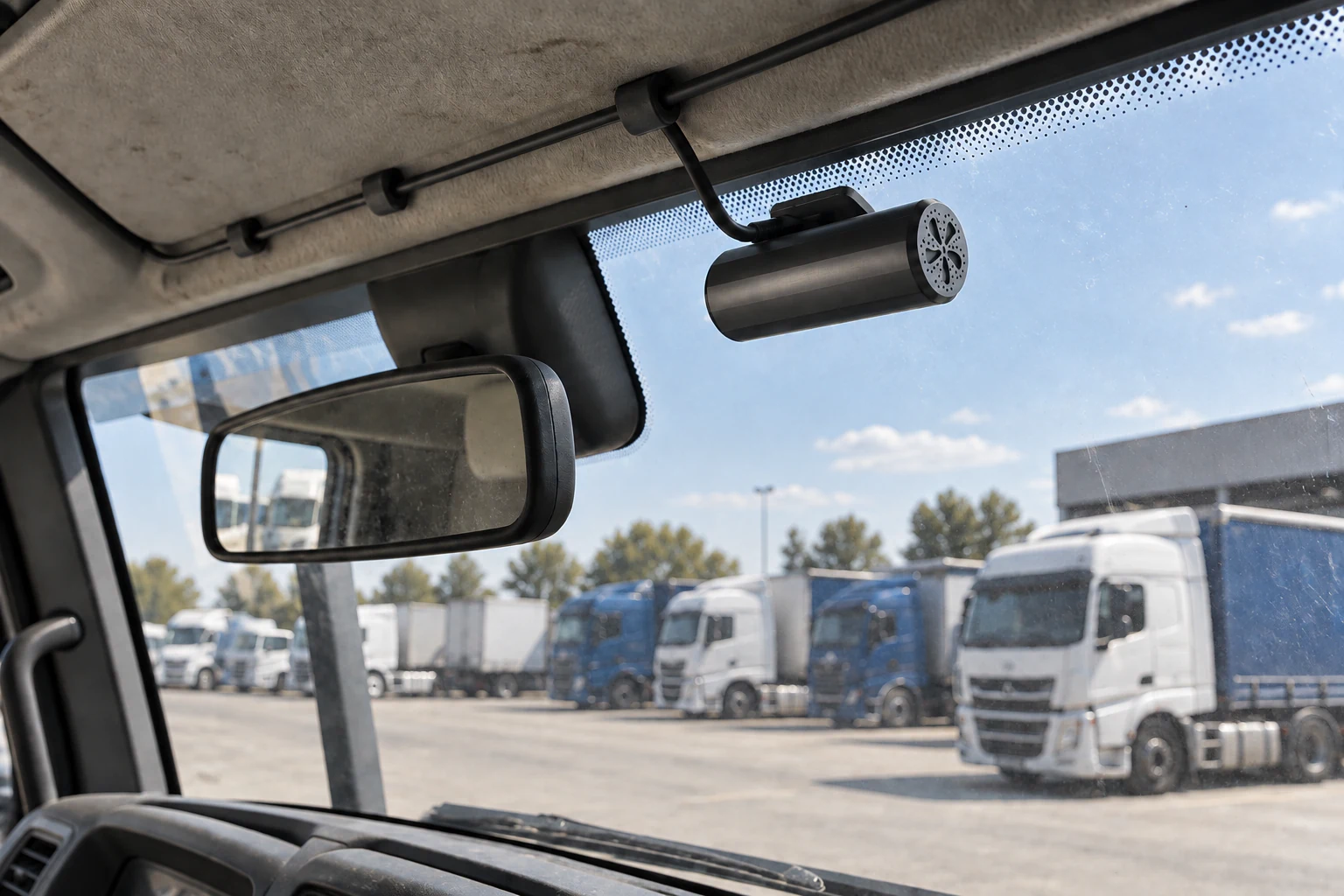
Review the mounting surface and vehicle clearance during the sample fitting. This photo shows the device mount, not a completed vehicle pilot.

Send a fleet recording brief
Include vehicle groups, required views, retention target, retrieval owner, mounting constraints and quantity. If the fleet mainly uses articulated trucks, also review the commercial truck selection guide for installation decisions that affect the quotation.

