

Choosing a backup camera for a truck or commercial vehicle involves more than comparing resolution or selecting the camera with the widest viewing angle.
The camera must work as part of a complete rear-view system. Vehicle size, installation position, video signal, monitor compatibility, cable length, operating environment and connector type can all affect whether the finished system performs as expected.
This is especially important for trucks, buses, vans, construction vehicles and fleet applications, where installation conditions can differ significantly from those of passenger vehicles.
This guide explains the main specifications commercial buyers, distributors, installers and OEM project teams should review before selecting a backup camera.
01Start With the Vehicle and the Required Rear View
Before comparing camera specifications, define exactly what the driver needs to see.
A backup camera installed on a delivery van may have a very different viewing requirement from one installed on a long commercial truck, coach or construction vehicle.
Start by confirming:
- Vehicle type
- Vehicle body length
- Camera mounting position
- Height of the installation point
- Area behind the vehicle that must be visible
- Whether the camera is used mainly for reversing or continuous rear monitoring
- Whether a trailer or articulated section is involved
A camera should be selected around the actual visibility task rather than around a single specification such as resolution.
For example, a camera mounted high on the rear of a bus may require a different viewing angle and bracket position from a camera installed closer to the bumper of a work vehicle.
For projects involving multiple camera positions, read our guide on How to Choose a Commercial Vehicle Camera System to plan the complete vehicle visibility system.
02Choose the Correct Video Signal: AHD or CVBS
One of the first technical specifications to confirm is the camera's video output.
Two common formats used in vehicle camera systems are AHD and CVBS.
AHD Cameras
AHD, or Analog High Definition, is commonly used when a higher-resolution analog video signal is required.
An AHD backup camera must be connected to equipment that supports the corresponding AHD input.
A monitor having the correct connector does not automatically mean it supports the camera's video format.
CVBS Cameras
CVBS is a standard-definition composite video format that is still found in many existing vehicle monitors and legacy installations.
For replacement projects, CVBS may be appropriate when the buyer wants to retain an existing compatible monitor or vehicle wiring system.
The key point is compatibility.
Before placing an order, confirm:
- Camera video output
- Monitor video input
- Supported resolution or signal mode
- Connector pinout
- Power requirements
- Existing cable configuration
Do not select AHD or CVBS based only on which format appears newer.
The complete camera-to-monitor signal path should be verified.
For a deeper comparison, see AHD vs CVBS Vehicle Cameras: What Commercial Buyers Should Know.
03What Camera Resolution Do You Need?
Resolution is one of the most visible specifications when comparing backup cameras.
Commercial vehicle cameras are commonly available in configurations such as 720P and 1080P.
A 1080P camera can provide more image detail than a lower-resolution camera when used with compatible receiving equipment.
However, camera resolution alone does not determine the quality of the final rear-view image.
The complete system matters.
For example, a 1080P camera connected to a display or receiver that does not support the required input format will not provide the intended result.
When comparing resolution, confirm:
- Camera output resolution
- Monitor input compatibility
- Monitor panel resolution
- DVR compatibility if recording is required
- Cable and connector configuration
For many new commercial vehicle projects, 1080P can be a practical option when the entire video path has been designed to support it.
For an existing fleet, compatibility with installed equipment may be more important than choosing the highest camera resolution available.
04Check the Viewing Angle
Viewing angle determines how much of the area behind the vehicle can appear in the camera image.
Wide-angle backup cameras are often used for trucks and commercial vehicles because they can cover a broad rear area.
However, wider is not automatically better.
An extremely wide image can introduce more perspective distortion and may make distant objects appear smaller.
The correct viewing angle therefore depends on:
- Vehicle width
- Camera installation height
- Camera distance from the rear edge
- Required visibility area
- Monitor size
- Driver viewing requirements
A camera with an adjustable mounting bracket can make it easier to fine-tune the rear view during installation.
For example, the SuperPower CAM-B09 uses an adjustable bracket and is available with a 170° viewing angle for broad rear visibility.
The final angle should still be verified on the target vehicle before a large fleet order is approved.
05Understand Waterproof Ratings
Truck backup cameras are normally installed outside the vehicle, where they may be exposed to rain, dust, mud, road spray and frequent washing.
Environmental protection is therefore an important part of camera selection.
Common camera specifications may include ratings such as:
- IP67
- IP68
- IP69K
These ratings refer to different levels and test conditions for protection against dust and water ingress.
For commercial vehicles operating outdoors, buyers should compare the actual IP rating of each camera model instead of assuming all exterior cameras provide the same level of protection.
A higher protection rating can be particularly relevant for applications involving:
- Trucks
- Buses
- Construction vehicles
- Agricultural equipment
- Industrial vehicles
- Vehicles exposed to frequent pressure washing
For example, SuperPower currently lists CAM-B09 and CAM-078 as IP69K rear-view camera options, while CAM-D05 is listed as IP67.
Always confirm the specification of the exact model included in the quotation.
Rear-view camera configurations to review
These current catalog options provide a starting point for selection. Confirm the exact quoted configuration and test it with the target monitor.
| Model | Application | Resolution | Viewing Angle | IP Rating |
|---|---|---|---|---|
| CAM-078 | Rear-view camera | 1920 × 1080 | 170° wide view | IP69K |
| CAM-D05 | Rear-view camera | 1920 × 1080 | 170° wide view | IP67 |
| CAM-B09 | Rear-view camera | 1920 × 1080 | 170° wide view | IP69K |
Compare backup cameras, the wider range of vehicle cameras, or a matched camera monitor system.
06Consider Night Vision and Low-Light Performance
Commercial vehicles do not operate only in daylight.
A truck may need to reverse in:
- Loading areas
- Warehouses
- Distribution centers
- Construction sites
- Parking yards
- Rural roads
- Night-time delivery locations
For these applications, low-light performance can be important.
When comparing cameras, check whether the selected model includes night-vision or low-light capabilities and ask how the camera performs under the lighting conditions expected in the target application.
Do not evaluate low-light performance from the words “night vision” alone.
Whenever possible, test a sample camera on the actual vehicle and monitor combination.
The CAM-B09, for example, is currently specified by SuperPower with night-vision support for low-light rear monitoring.
07Match the Camera to the Monitor
A backup camera cannot be evaluated independently from the monitor.
Before ordering, confirm that the monitor accepts the camera's signal.
Important items include:
| Item | What to Confirm |
|---|---|
| Video Signal | AHD or CVBS |
| Resolution | Supported camera input |
| Connector | RCA, 4-pin aviation or project-specific |
| Pinout | Power, ground and video arrangement |
| Voltage | Compatible operating voltage |
| Channels | Number of cameras the monitor accepts |
| Trigger Input | Whether reverse-trigger switching is required |
| Image Orientation | Normal or mirrored rear view |
A connector that physically fits does not guarantee electrical or video compatibility.
Pin assignments can vary between manufacturers and product platforms.
For replacement projects, provide the supplier with photos or specifications of the existing monitor, camera connector and current wiring before ordering samples.
08Check Connector and Cable Requirements
Cable length can become an important consideration on trucks, buses and long commercial vehicles.
A passenger-car installation and a long-body truck installation may require very different cable routes.
Before requesting a quotation, estimate:
- Distance between camera and monitor
- Cable routing path
- Cab-to-body connection
- Trailer articulation where applicable
- Extension cable requirements
- Waterproof connection points
- Connector type
Common vehicle camera projects may use RCA connectors, 4-pin aviation connectors or customized harnesses.
For OEM and fleet projects, the connector should be treated as part of the approved system specification rather than as a minor accessory.
If a distributor orders the correct camera housing but the wrong connector pinout, the camera may still be unusable with the customer's installed system.
09Wired vs Wireless Backup Cameras
Another decision is whether the project should use a wired or wireless camera system.
Wired Backup Cameras
Wired systems are commonly considered for commercial installations where the camera, cable and monitor can be planned as one complete system.
Advantages can include a fixed physical signal path and easier standardization across repeated installations.
The installation process, however, requires proper cable routing.
Wireless Backup Cameras
Wireless configurations may reduce some video-cable routing requirements, but the installation still needs suitable power and a stable communication environment.
Vehicle size, body construction and operating conditions should be considered before choosing a wireless system.
Commercial buyers should avoid assuming that wireless automatically means easier or better.
The best choice depends on the vehicle and the installation.
For a more detailed comparison, see Wired vs Wireless Forklift Camera Systems.
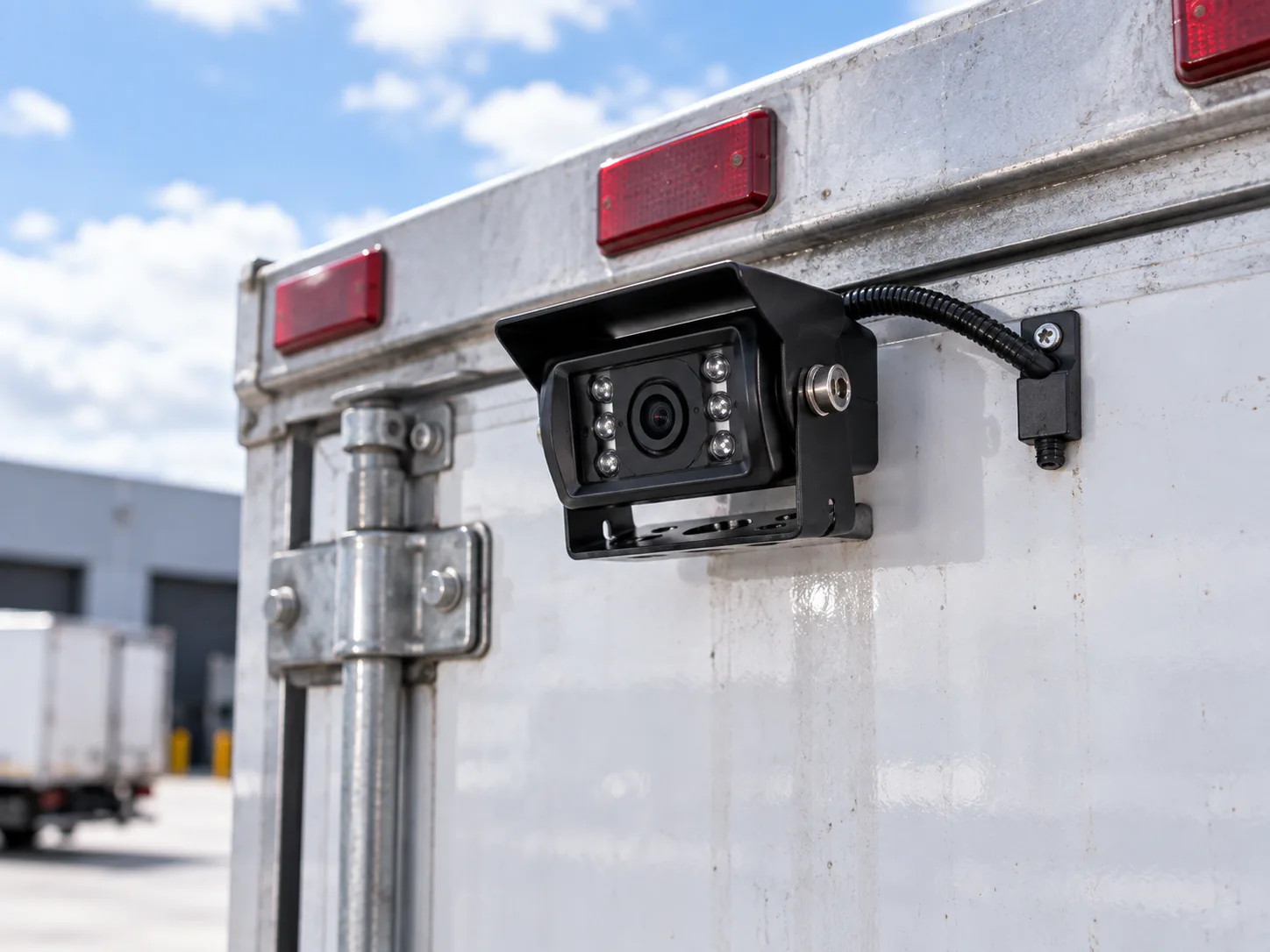
10Choose the Correct Camera Mounting Position
Even a well-specified camera can provide a poor rear view if it is installed in the wrong position.
Possible rear camera locations include:
- Rear body panel
- High rear roof area
- Rear bumper area
- License plate area
- Vehicle-specific trunk handle
- Purpose-designed mounting bracket
The mounting position affects:
- Visible area
- Camera angle
- Distance perception
- Exposure to dirt and water
- Cable routing
- Protection from impact
For trucks and buses, the vehicle body geometry should be reviewed before deciding where the camera will be installed.
For vehicle-specific passenger-car projects, an integrated mounting solution may be preferred.
For example, SuperPower also offers vehicle-specific trunk-handle camera configurations for compatible Volkswagen applications.
11Consider the Complete System, Not Only the Camera
One of the most common procurement mistakes is comparing cameras as isolated products.
A commercial backup camera is usually only one component of a complete rear-view system.
The complete installation may include:
Camera → Cable → Connector → Monitor → Power → Trigger → Optional DVR
Every component must work together.
When reviewing supplier quotations, compare complete configurations rather than simply comparing camera prices.
A lower-priced camera can become more expensive overall if additional adapters, converters or replacement cables are required later.
For new commercial vehicle projects, approving the complete sample assembly before bulk production can reduce compatibility problems.
12OEM and ODM Requirements for Commercial Buyers
Distributors, vehicle manufacturers and fleet integrators may require more than a standard retail camera.
Before requesting an OEM or ODM quotation, prepare a clear project specification.
Useful information includes:
- Vehicle type
- Camera installation position
- Required resolution
- AHD or CVBS output
- Viewing angle requirement
- Waterproof requirement
- Connector type
- Pinout
- Cable length
- Operating voltage
- Packaging requirements
- Branding requirements
- Estimated order quantity
Depending on the project, suppliers may also support customization of connectors, cables, housings, packaging or branding.
SuperPower's current vehicle-camera range includes rear-view models intended for commercial vehicle and OEM/ODM project selection, with model-specific configurations that should be confirmed before production.
The more complete the project information is at the quotation stage, the easier it becomes to compare suppliers accurately.
13Use a Sample Before Approving a Fleet Order
Specifications are useful for reducing the list of possible cameras, but they cannot completely replace vehicle testing.
For commercial projects, a representative sample installation is recommended before approving a large order.
During sample testing, verify:
- Camera mounting position
- Rear visibility
- Image orientation
- Viewing angle
- Low-light image
- Monitor compatibility
- Signal stability
- Cable length
- Connector fit
- Reverse-trigger behavior
- Environmental installation
- Driver usability
If the project covers several vehicle types, test the system on representative vehicle configurations rather than assuming one installation will work identically across the entire fleet.
14Truck Backup Camera Buyer Checklist
Use this checklist when requesting a supplier quotation.
| Specification | Information to Provide |
|---|---|
| Vehicle Type | Truck, bus, van, construction vehicle, etc. |
| Installation Position | Rear body, roof, bumper or other position |
| Camera Quantity | Number per vehicle |
| Resolution | 720P, 1080P or project requirement |
| Video Signal | AHD, CVBS or existing system specification |
| Viewing Angle | Required rear coverage |
| Waterproof Rating | Based on operating environment |
| Night Vision | Required or not required |
| Monitor | Existing monitor or new system |
| Connector | RCA, 4-pin aviation or customized |
| Cable Length | Estimated installation length |
| Voltage | Vehicle/system requirement |
| Quantity | Sample quantity and expected bulk order |
| Customization | Logo, cable, connector, packaging, etc. |
Sending this information with the first inquiry can significantly reduce unnecessary back-and-forth during product selection.
Frequently asked questions
What is the best backup camera for a truck?
There is no single backup camera that is best for every truck. The appropriate camera depends on the vehicle body, mounting position, required rear view, monitor compatibility, video signal, environmental protection and installation requirements. Start with the vehicle and visibility task, then compare compatible camera models.
Is 1080P good for a truck backup camera?
1080P can provide useful image detail when the monitor and complete signal path support the selected resolution and video format. Resolution should therefore be evaluated together with monitor compatibility, viewing angle, installation position and low-light performance.
Is AHD better than CVBS for a backup camera?
AHD can support higher-definition analog video, while CVBS remains relevant for compatible legacy systems. The correct choice depends on the receiving monitor and existing installation. Do not assume an AHD camera will work with a CVBS-only monitor.
What viewing angle is best for a truck backup camera?
The correct viewing angle depends on the width and length of the vehicle, camera mounting height and the area the driver needs to see. Wide-angle cameras can provide broad rear coverage, but the final view should be tested on the actual vehicle.
Do truck backup cameras need to be waterproof?
Exterior cameras should be selected for the environmental conditions they will encounter. Check the individual model's IP rating and installation requirements, particularly for trucks, buses and work vehicles exposed to rain, road spray, dust or pressure washing.
Can I connect a new backup camera to an existing truck monitor?
Possibly, but compatibility must be confirmed first. Check the monitor's supported video input, resolution, voltage, connector and pinout before ordering the replacement camera. A matching connector shape alone does not confirm compatibility.
Choose the Right Backup Camera for Your Vehicle Project
A reliable commercial vehicle backup camera should be selected as part of a complete rear-view system.
Start with the vehicle and required visibility area. Then confirm the camera resolution, viewing angle, AHD or CVBS output, waterproof rating, low-light performance, connector, cable and monitor compatibility.
For fleet, distributor or OEM/ODM projects, testing a complete sample configuration before bulk ordering can help verify that the camera works correctly with the target vehicle and display system.
Need help selecting a backup camera for your project?
Send us:
- Vehicle type
- Required camera position
- Existing monitor information
- AHD or CVBS requirement
- Connector photos or specifications
- Required cable length
- Estimated order quantity


